


Mobile App Development · Concept
Customer Mobile App Development for Modern Businesses
A customer mobile app concept by MeridSpace that helps businesses connect with customers, share services, manage accounts, receive requests, send updates and offer a smoother experience on Android and iOS devices.
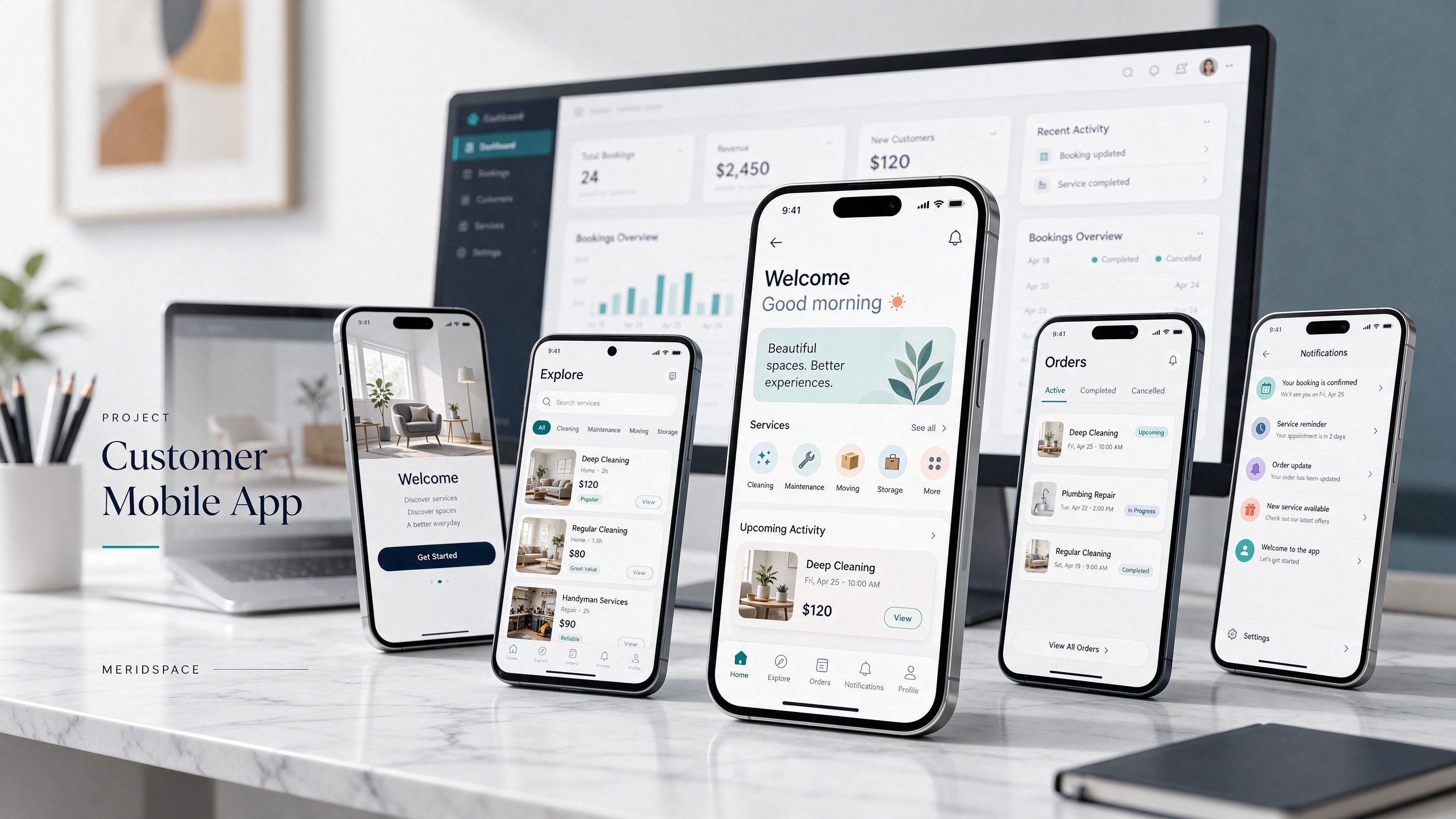
A mobile app gives a business another way to stay connected with its customers. Many people use their phones to check information, make enquiries, place orders, manage services and communicate with businesses. A well-planned customer mobile app makes these activities easier by bringing important services into one place. Customer Mobile App is a project concept developed by MeridSpace to show how businesses can provide a more direct and convenient way for customers to interact with them.
The idea is to create an application that customers can install on their Android or iOS devices and use whenever they need the business. Instead of depending only on a website, phone calls or messages, customers can access selected services through a mobile application. The exact features depend on the type of business, but the main goal remains the same: make it easier for customers to get information, manage their activities and receive support.
Project Overview
The Customer Mobile App concept focuses on building a mobile platform around the needs of a business and its customers. It can be developed for companies that provide services, sell products, manage bookings or need a better way to communicate with their users.
A customer using the app should be able to create an account, sign in, view available services and manage activities connected to the business. Depending on the project requirements, the application can also support orders, bookings, payments, notifications, customer support and personal account settings.
MeridSpace approaches this type of project by first understanding how the business serves its customers. The application is then planned around the tasks customers need to complete and the information the business needs to manage. This helps avoid building an app filled with features that do not serve a clear purpose.
Customer Registration and Login
Customer accounts are an important part of many mobile applications. They allow users to access personal information and keep their activities organised. The app can provide a registration process where new users enter the details required to create an account.
Depending on the business, registration may require a name, email address, phone number and password. The application can also support email or phone verification to help confirm account ownership. Existing customers should have a simple login process that allows them to return to their accounts without repeating registration.
Password recovery is another useful feature. Customers sometimes forget their login details, so the app should provide a secure way to reset a password and regain access. Clear instructions and confirmation messages can make this process easier to understand.
Account management can allow customers to update their personal information, change passwords and review other details connected to their accounts. These features give users more control while helping the business maintain organised customer records.
Home Screen and App Navigation
The home screen is often the first page customers see after opening the application. It should make the most important features easy to reach. A customer should not need to move through several pages just to find a service, check an order or contact the business.
The layout can include a welcome message, service categories, featured products, recent activity, announcements and shortcuts to common actions. The exact arrangement should depend on what the business offers. An appointment-based business may give booking options more attention, while an online retailer may place product categories and shopping features at the centre of the home screen.
Navigation should remain consistent throughout the application. Main sections such as Home, Services, Orders, Notifications and Profile can be arranged in a simple menu or bottom navigation area where suitable. Clear labels and familiar icons help users understand where each option leads.
Services and Product Information
A customer mobile app can provide a central place for people to view the products or services offered by a business. Information should be organised so that customers can understand what is available and decide what they want to do next.
For a service business, the app can display service descriptions, prices where applicable, available options and other useful details. Customers may also be able to submit enquiries or request a service directly from the application.
For a business that sells products, the app can include product images, descriptions, prices, categories and availability information. Customers can browse the available items and select the products they are interested in. The application can connect to the business's product management system so that information can be maintained from a central place.
Keeping information accurate is important. When a business changes a service, product price or availability, the app should display the updated information where the relevant integration supports it.
Orders, Bookings and Customer Requests
Many businesses need a way for customers to request services, make bookings or place orders. A mobile application can make these activities more convenient by providing a clear process that customers can follow from their phones.
For an online business, the app can allow customers to select products, add them to a cart, review their choices and continue to checkout. For a service provider, customers may be able to choose a service, select an available date or time and submit a booking request.
The application can also provide a history of previous activities. Customers may be able to view their past orders, current bookings and the status of requests they have submitted. This gives them a convenient way to check information without contacting the business every time.
On the business side, submitted requests can be connected to an administration or management system. Staff can review new activities, update their status and process them according to the business workflow. This connection helps reduce manual record keeping and makes customer activities easier to manage.
Online Payments and Transaction Records
Where the business needs to collect payments through the app, the application can be connected to supported payment gateways. Customers can review the amount due and complete payment through the available payment method.
Payment integration should be planned carefully. The app needs to connect each payment to the correct customer activity, whether that is an order, booking or service request. The system should also handle payment confirmations and unsuccessful transactions in a clear way.
For suitable projects, payment providers such as Paystack, Flutterwave or other supported services can be considered based on the business location, payment requirements and provider availability. The final choice should be made during project planning.
Customers should be able to view relevant transaction information where the application supports it. This may include payment dates, amounts, references and payment status. Clear records help customers understand what they have paid for and give the business information needed to review transactions.
Push Notifications and Updates
Notifications provide a direct way for a business to send important information to customers through their mobile devices. They can be used to communicate order updates, booking reminders, service announcements and other messages that matter to the customer.
For example, a customer may receive a notification when an order has been confirmed, when a booking is approaching or when a request has been updated. A business may also use notifications to share information about new services, important changes or special promotions.
Notifications should be useful and relevant. Sending too many messages can make customers ignore them or disable notifications completely. The business should therefore have a clear reason for each notification and use appropriate timing.
The app can also provide an in-app notification area where customers can review messages they may have missed. This helps keep important updates available even after a phone notification has disappeared.
Customer Support and Communication
Customers sometimes need help before or after using a service. A mobile application can make support easier to access by providing contact information and suitable communication options.
Depending on the business, the app can include a support form, frequently asked questions, email contact, phone support or a connection to a messaging service. Customers should be able to explain their problem and provide relevant information without going through an unnecessarily complicated process.
A support request can be connected to the customer's account so that the business has the details needed to respond. Where the system supports it, customers can also review the progress of their requests and receive updates when a response is available.
Clear communication helps reduce confusion and gives customers a better experience when they need assistance.
Customer Profile and Account Settings
The profile area gives customers a place to manage information connected to their accounts. It can include personal details, contact information, saved addresses and other settings required by the application.
For applications that support orders or bookings, customers may also be able to manage delivery addresses, review saved preferences or view their activity history. These options should be included only when they are relevant to the business.
Account settings may also include notification preferences, password changes and account security options. The aim is to give customers control over the information and settings they use regularly.
Admin Dashboard and Business Management
A customer app usually needs a management system behind it. The mobile application is the part customers use, but the business also needs a way to manage the information and activities that appear inside it.
MeridSpace can develop a connected administration dashboard where authorised staff manage customer accounts, services, products, orders, bookings, announcements and other application data. The exact dashboard features depend on the business requirements.
For example, an administrator may need to add a new service, update product information, review customer requests or send an announcement. Staff permissions can also be planned so that different team members only have access to the areas required for their work.
Connecting the mobile app to a central management system means that the business does not need to make every content update through a new app release. Where the application is designed for dynamic content, information can be managed from the dashboard and displayed to users through the app.
App Design and User Experience
A mobile app should be easy to use, even for customers who are not familiar with complex digital systems. The design should make important actions clear and avoid unnecessary steps.
MeridSpace considers the full customer journey when planning the interface. This includes what users see when they open the app, how they find information, how they complete an action and what feedback they receive afterwards.
Buttons should use clear wording, forms should request only necessary information and important messages should be easy to understand. Loading indicators, error messages and success confirmations also matter because they help users understand what the app is doing.
The design should follow the business's brand identity. Colours, fonts, icons and other visual elements can be selected to create a consistent appearance. The result should feel like an application that belongs to the business rather than a collection of unrelated screens.
Android and iOS Development
Customers use different mobile devices, so the development approach needs to consider the platforms the business wants to support. The application can be planned for Android, iOS or both, depending on the target audience and project budget.
MeridSpace can assess whether a cross-platform development approach or separate platform-specific development is more suitable. The decision depends on the required features, performance needs, device integrations and long-term maintenance plans.
The application should be tested on different screen sizes and supported operating system versions. This helps identify layout problems, navigation issues and features that may behave differently across devices.
Publishing also requires preparation. App names, icons, screenshots, descriptions, privacy information and store requirements should be considered before submitting an application to the relevant app stores. Approval and publication depend on the store review process and its current requirements.
Security and Customer Data
A customer application may handle personal details, account information, order records and payment-related information. These details need to be protected through suitable security measures.
The development process should consider secure communication between the app and its backend, proper account authentication, access controls and safe handling of customer information. Sensitive operations should not rely only on checks performed inside the mobile application. Important permissions and business rules should also be checked by the backend system.
The business should collect only the information it needs and explain how customer information is used. Privacy policies and other relevant notices should be available where required. Payment processing should use suitable payment providers rather than storing sensitive card details directly in the application.
Security should be considered throughout development and maintenance, not treated as a final step after the application has been completed.
Testing, Maintenance and Future Improvements
Before an app is released, its main features need to be tested. This includes registration, login, navigation, forms, orders, bookings, payments and notifications where those features are included. Testing should cover successful actions as well as situations where something goes wrong.
For example, the app should respond properly when a customer enters incorrect login details, loses an internet connection or submits incomplete information. Payment-related features should also be checked to make sure that successful and unsuccessful transactions are handled correctly.
After launch, the application may need updates to fix issues, improve performance, support newer devices or add features requested by the business. Mobile operating systems and app store requirements can change, so maintenance is an important part of keeping the application useful over time.
How MeridSpace Approaches Customer App Projects
MeridSpace approaches customer mobile app development by starting with the business problem rather than selecting features without a clear reason. The first stage is to understand the services offered, the customers who will use the application and the activities that should be available through mobile devices.
From there, the project can move into feature planning, user flow design, interface design, backend planning and development. The mobile application and its supporting management system need to work together so that customer actions are recorded and processed correctly.
The development plan can also consider existing business systems. Where suitable APIs or integrations are available, the application may connect to an existing website, marketplace, payment service, booking system or other business platform. This can help avoid unnecessary duplication of data and operations.
Final Thoughts
The Customer Mobile App project represents a practical way for businesses to make their services easier to access through mobile devices. It brings customer accounts, service information, requests, orders, payments, notifications and support into one application, depending on the needs of the business.
For MeridSpace, the focus is on building mobile applications that solve real business needs and provide a clear experience for customers. A useful app should not simply look good. It should help people complete tasks, access information and communicate with the business without unnecessary difficulty.
With proper planning, suitable integrations and regular maintenance, a customer mobile app can become an important part of how a business serves its audience. MeridSpace can help businesses plan and develop these applications for Android and iOS, with features and management tools shaped around their operations and customers.
More projects

MeridianCart – Multi-Vendor E-Commerce Marketplace Development
MeridianCart is a multi-vendor marketplace developed by MeridSpace, bringing buyers and sellers together through product listings, seller stores, carts, checkout, payments, order management, delivery and shipment tracking.
Read more →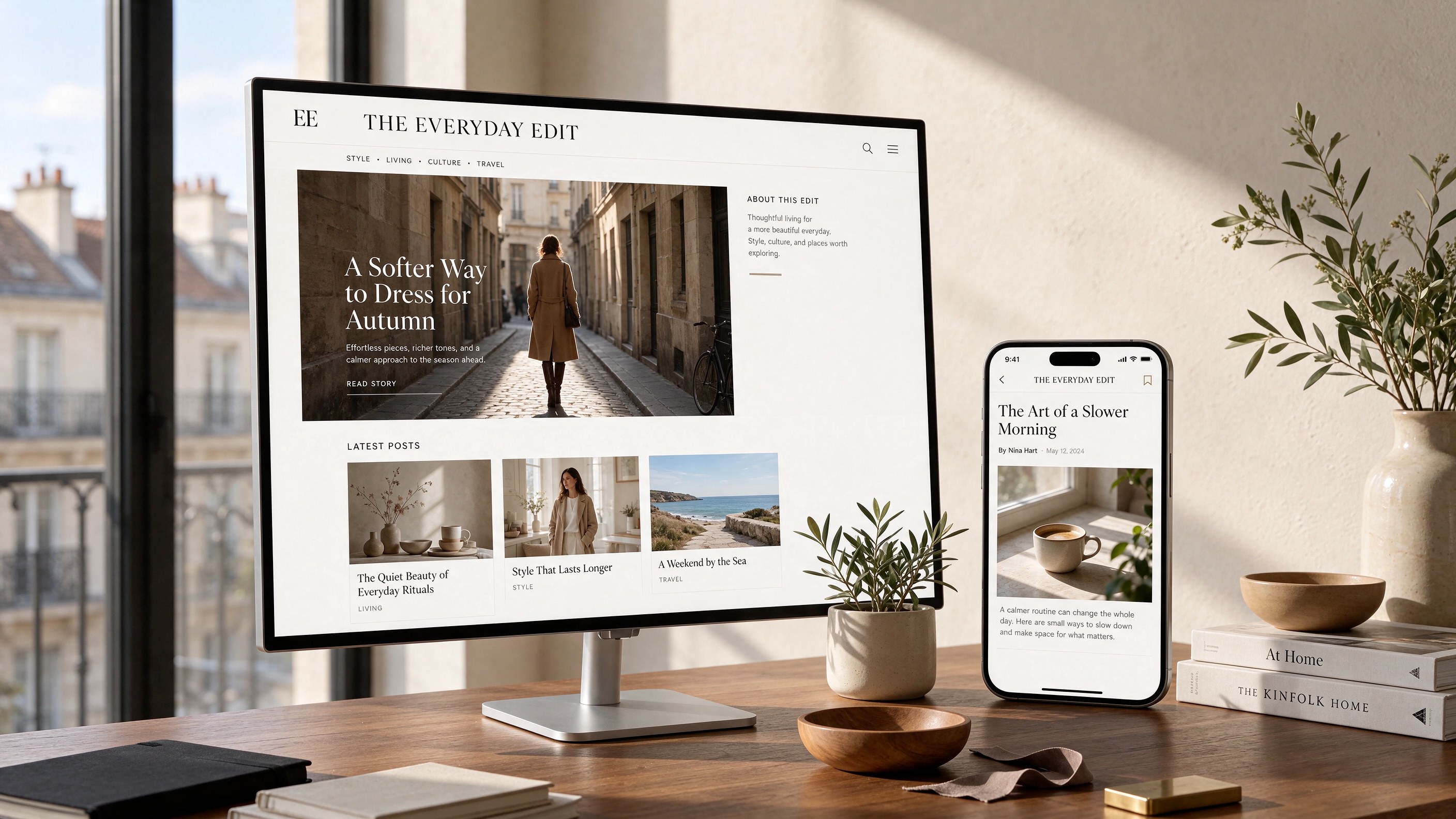
Blog Website Development for Content Publishers
A blog website concept by MeridSpace for publishing fashion, lifestyle, entertainment and general articles, with content management, categories, author profiles, search, SEO settings and advertising support.
Read more →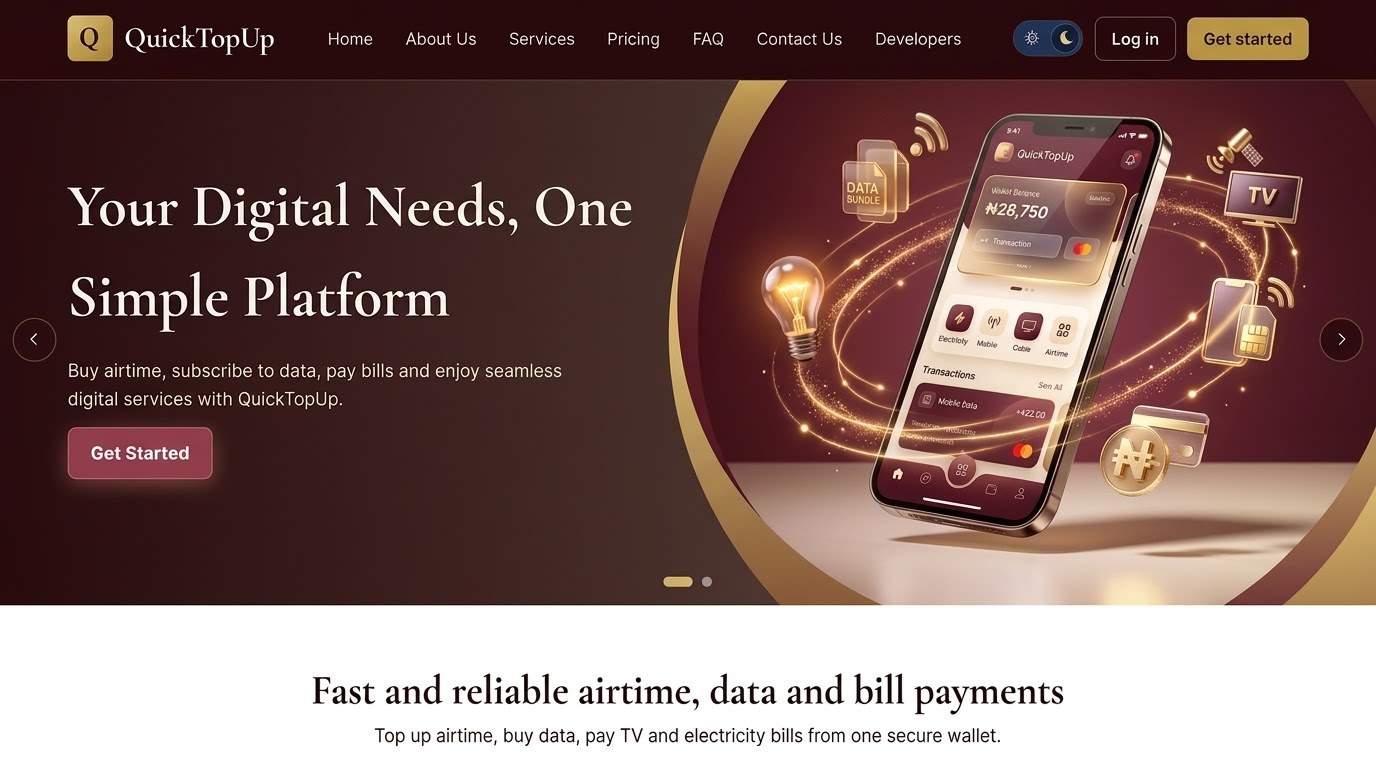
QuickTopup – A Complete VTU Website for Starting Your Own Digital Services Business
QuickTopup is a complete VTU and digital payment platform for selling airtime, data, cable TV subscriptions, electricity, exam pins and recharge cards. It features customer accounts, wallet funding, automated transactions, API integration and pricing management.
Read more →