


Digital Services · Concept
Digital Services Platform for Everyday Business Needs
A digital services platform concept by MeridSpace that brings service listings, customer requests, payments, order tracking and administration into one place, helping businesses manage digital services and customer activity.
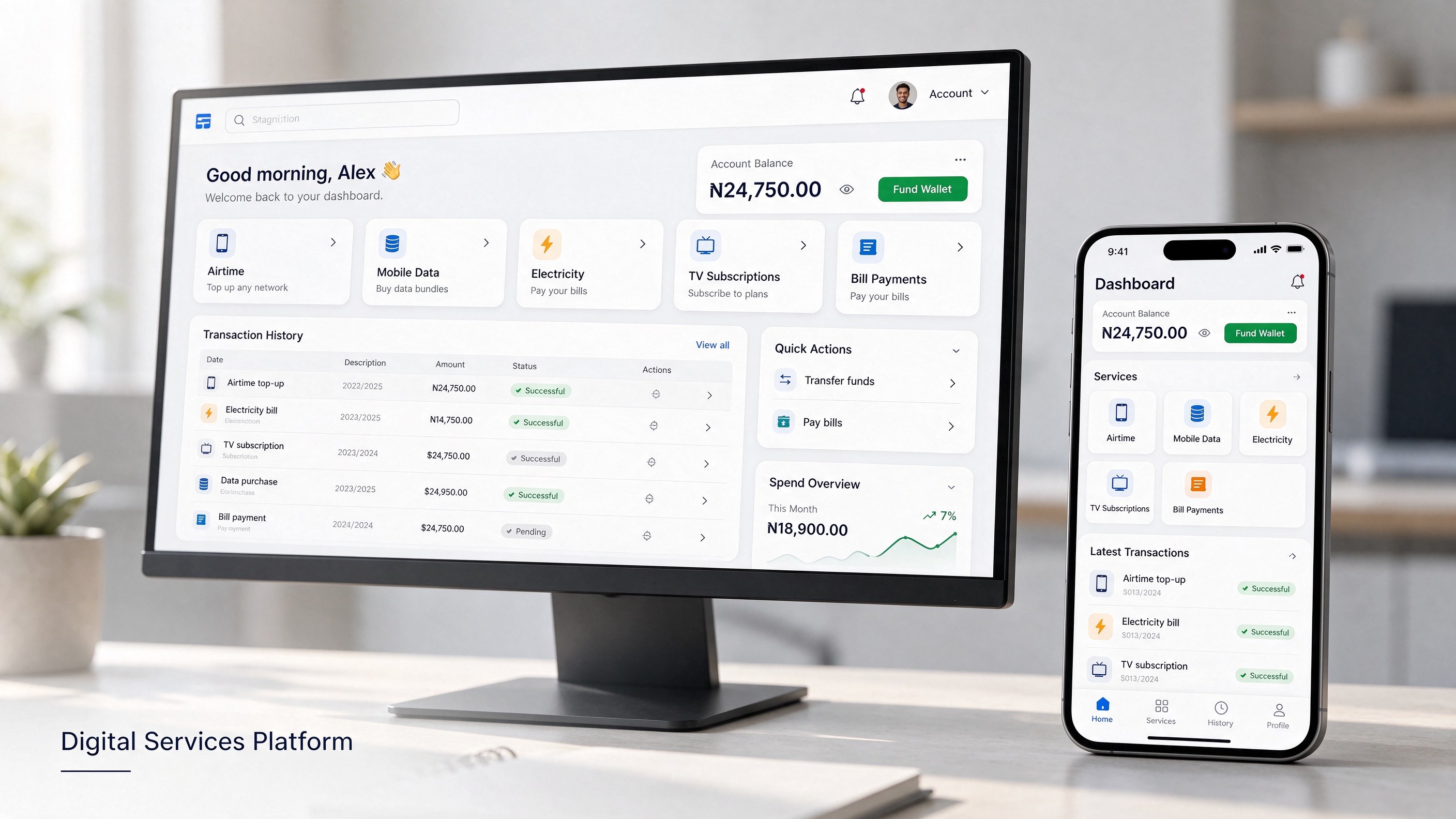
People use digital services every day for communication, entertainment, utilities and other basic needs. They may need to buy airtime, subscribe to a data plan, pay a utility bill or purchase another digital product. For businesses that provide these services, handling customer requests, payments and transaction records can become difficult when everything is managed through separate tools.
MeridSpace presents this Digital Services Platform as a concept for businesses that want to offer digital products and services through one organised system. The platform can give customers a place to view available services, submit requests and follow their transactions. Business owners and administrators can use a management area to control service listings, review orders and monitor activity.
One platform for different digital services
A digital services business may offer several types of products. These could include mobile airtime, mobile data, electricity payments, television subscriptions, internet services, examination pins and other digital products. The exact services available would depend on the business model, the providers it works with and the integrations that have been approved for the project.
The proposed platform can organise these services into clear categories. Customers could select a category, view the available options and provide the information required to complete a request. For example, a data purchase may require a phone number, network and plan, while a utility payment may require an account or meter number.
Keeping different services within one system can make the customer experience easier to follow. It also gives the business a central place to manage service information and review customer activity.
Customer registration and account access
Customers may be able to create accounts so they can use the platform more easily. A registration process could collect basic details such as a name, phone number and email address. Customers could then sign in to view their account information, submit service requests and review previous transactions.
The account area should be simple to use. Customers should be able to update permitted details, change their passwords and access the information they need without moving through too many pages. Password recovery can also be included to help users regain access if they forget their login details.
Some businesses may prefer to allow customers to make selected purchases without registering. This can be considered during planning, depending on the services offered and the information needed to process each transaction.
Service catalogue and pricing
The service catalogue would be one of the main sections of the platform. It can display the digital services available to customers, with clear names, descriptions, prices and instructions. Services could be grouped by category to help customers find what they need.
For example, a mobile data section could display available networks and data plans. A bill payment section could list supported providers and the details customers must enter. The platform could also show important conditions before a customer submits a request, such as the information required and any limits that apply.
Administrators should be able to manage the catalogue through the back office. Depending on the agreed system scope, they may add services, update descriptions, adjust prices, enable or disable options and organise categories. Changes should be controlled so customers see accurate service information.
Customer orders and service requests
When a customer chooses a service, the platform can guide them through a request form. The form should collect only the details needed for that service. This helps reduce mistakes and makes the process easier for customers using phones or computers.
After the request is submitted, the system can create a transaction record with a reference number. The record may include the selected service, customer details, amount, date and current status. Customers could use their account area to review the request and see whether it is pending, processing, successful or failed.
Different services may require different processing steps. Some transactions may be completed through a connected provider, while others may require manual review or approval. The platform should handle these differences according to the actual service process rather than treating every request as identical.
Payment processing
Payment handling is an important part of a digital services platform. Customers need a clear way to pay for the services they request, and the business needs reliable records showing what has been paid and what is still outstanding.
The platform can be developed to support suitable payment methods based on the target market. This may include payment gateway integration, bank transfer instructions or an account balance system, depending on the business requirements. Providers such as Paystack or Flutterwave may be considered where their services and terms fit the project. Any payment integration must be configured, tested and approved before it is described as active.
The system should record payment references and statuses. It should also be designed to handle situations where a payment is delayed, declined or confirmed after the customer returns to the platform. A customer should not be told that a service has been completed simply because they reached a payment page. Payment confirmation and service fulfilment should be handled as separate steps.
Wallet and account balance options
Some digital service businesses may want customers to fund an account balance and use it for future purchases. A wallet feature can be considered for this type of business model. Customers could view their available balance, review wallet transactions and use eligible funds when placing an order.
Wallet records need careful handling. Each credit or debit should have a transaction reference, amount, date and description. The system should also prevent customers from spending more than the available balance and should avoid processing the same transaction more than once.
If wallet funding, refunds or transfers are included, their rules must be defined clearly. These features should not be added without considering payment reconciliation, security, applicable regulations and the business's responsibilities.
Transaction tracking and customer history
Customers should have a clear way to check the progress of their requests. A transaction history page can show previous purchases and their statuses, helping customers find records without contacting support for every question.
For each transaction, the platform could display a reference number, service name, amount, date and status. Where appropriate, it may also show a provider reference or a short explanation of the outcome. Sensitive information should be hidden or displayed only when the customer needs it.
On the administration side, authorised staff could search transaction records by reference, customer, service, date or status. This can make it easier to investigate failed requests, answer customer questions and compare platform records with provider reports.
Provider integrations and service delivery
Many digital services depend on external providers to complete transactions. A platform may need to connect to one or more provider systems to check available products, submit requests and receive transaction updates. The connection method will depend on the provider's API documentation, account approval and technical requirements.
MeridSpace can plan the integration layer so that each supported provider is handled through a defined process. This can include sending the required request details, validating responses, storing provider references and updating transaction statuses. Where a provider supports status checks or callbacks, these can be used to keep records up to date.
Provider integrations must be tested in a sandbox or test environment before production use. The project should account for timeouts, unavailable services, rejected requests and delayed responses. If a provider does not confirm a transaction immediately, the platform should have a safe way to check its status rather than blindly submitting the same request again.
Administration dashboard
The administration dashboard can give business owners and authorised staff an overview of platform activity. It may show recent orders, transaction statuses, service categories, customer records and other useful information. The exact dashboard figures should reflect the modules that are included in the project.
Administrators could use the back office to manage customers, service listings, pricing, provider settings and transaction records. Some actions may require approval or restricted permissions. For example, staff who handle customer enquiries may need to view transaction details without having permission to change provider settings or financial records.
A clear administration area can reduce the time spent searching for information and help the business follow its daily work. It should be designed around the tasks staff perform most often.
Staff roles and permissions
Not every staff member should have access to every part of the platform. Role-based permissions can help the business control which pages and actions each user is allowed to access.
Possible roles may include administrators, customer support staff, transaction officers and finance staff. A support user might review customer requests, while a finance user may focus on payment records and reconciliation. The business can decide which roles are needed and what each one should be allowed to do.
Permissions should be checked on the server as well as in the interface. Hiding a button is not enough to protect an action if a user can still access it through a direct request. Proper access checks help protect customer records and important business operations.
Notifications and customer support
Customers may need updates when a request is received, a payment is confirmed or a transaction changes status. The platform can support notifications through suitable channels, such as email or SMS, depending on the selected providers and project requirements.
Messages should be clear and useful. They may include a transaction reference and a short status update without exposing unnecessary personal or payment information. The system could also provide a support section where customers can submit questions about their transactions.
Support staff could review enquiries and connect them to the relevant customer or transaction record. This can help the business handle complaints and service questions in a more organised way.
Reports and business monitoring
Reports can help management understand how the platform is being used. Depending on the features included, reports may cover transaction volumes, service categories, payment statuses, customer activity and provider performance.
A transaction report could help staff review successful, pending and failed requests over a selected period. A service report could show which categories receive the most activity. Payment reports could support reconciliation by comparing recorded payments with the information received from payment providers.
Reports should be based on stored records and clearly show the period covered. They can help management review operations, but the business should still verify important financial figures against the relevant provider and accounting records.
Security and reliable transaction handling
A digital services platform may handle personal details, payment references and account balances. Security should therefore be considered throughout the development process. The system can include secure login, password protection, role-based access, input validation and appropriate session management.
Transaction handling also needs careful design. The platform should use unique references, validate incoming provider responses and protect against duplicate processing. Sensitive credentials used to connect to external providers should be stored securely and should not be exposed in customer-facing pages.
Backups, monitoring and error logging may also be included as part of the hosting and maintenance plan. These measures can help the business investigate problems and recover from technical issues. The final security arrangements should match the data, integrations and operational risks involved.
Mobile-friendly customer experience
Many customers access digital services from their phones. The platform should therefore be designed to work well on smaller screens as well as desktop computers. Forms should be easy to complete, service options should be readable and important actions should be easy to find.
A mobile-friendly website can give customers access without requiring them to install an application. If the business later needs a dedicated Android or iOS app, that can be considered as a separate part of the project and connected to the same backend where appropriate.
Development approach by MeridSpace
MeridSpace can begin a digital services project by understanding the services the business wants to offer, the providers it plans to use and the steps involved in completing each transaction. This helps define the customer journey, administration requirements and technical integrations before development starts.
The next stage is to plan the service catalogue, account structure, transaction records and payment process. Each service should have a clear set of required details and a defined way to report its outcome. The interface can then be designed for customers and staff, with attention to simple navigation and mobile use.
Development can be completed in stages, starting with the main customer and administration functions before adding more advanced features. Integrations should be tested using the relevant provider documentation and test credentials. The platform should also be checked for failed payments, delayed provider responses, invalid customer details and duplicate requests.
After testing, the business can prepare its service information, provider accounts and operating procedures for launch. Hosting, monitoring, maintenance and future changes can be agreed based on the needs of the project.
Who can use this platform?
This concept may suit digital service vendors, VTU businesses, online service providers, utility payment businesses and companies that want to sell several types of digital products from one website. It can also be adapted for businesses that need an administration system to manage customer requests and provider transactions.
The final platform does not need to include every service or feature described in this concept. The right setup depends on the business model, provider availability, payment methods and customer needs. Starting with a clear set of services can make the first version easier to test and manage.
Conclusion
A digital services platform can give businesses one organised place to present services, receive customer requests, manage payments and follow transactions. With suitable provider connections and clear administration tools, it can support the daily work involved in selling digital products and services.
Through this concept, MeridSpace shows how a platform can be planned around real service workflows rather than a collection of disconnected pages. The final solution can be shaped to fit the business, with its service providers, payment methods and transaction rules confirmed before development and launch.
More projects

MeridianCart – Multi-Vendor E-Commerce Marketplace Development
MeridianCart is a multi-vendor marketplace developed by MeridSpace, bringing buyers and sellers together through product listings, seller stores, carts, checkout, payments, order management, delivery and shipment tracking.
Read more →
Blog Website Development for Content Publishers
A blog website concept by MeridSpace for publishing fashion, lifestyle, entertainment and general articles, with content management, categories, author profiles, search, SEO settings and advertising support.
Read more →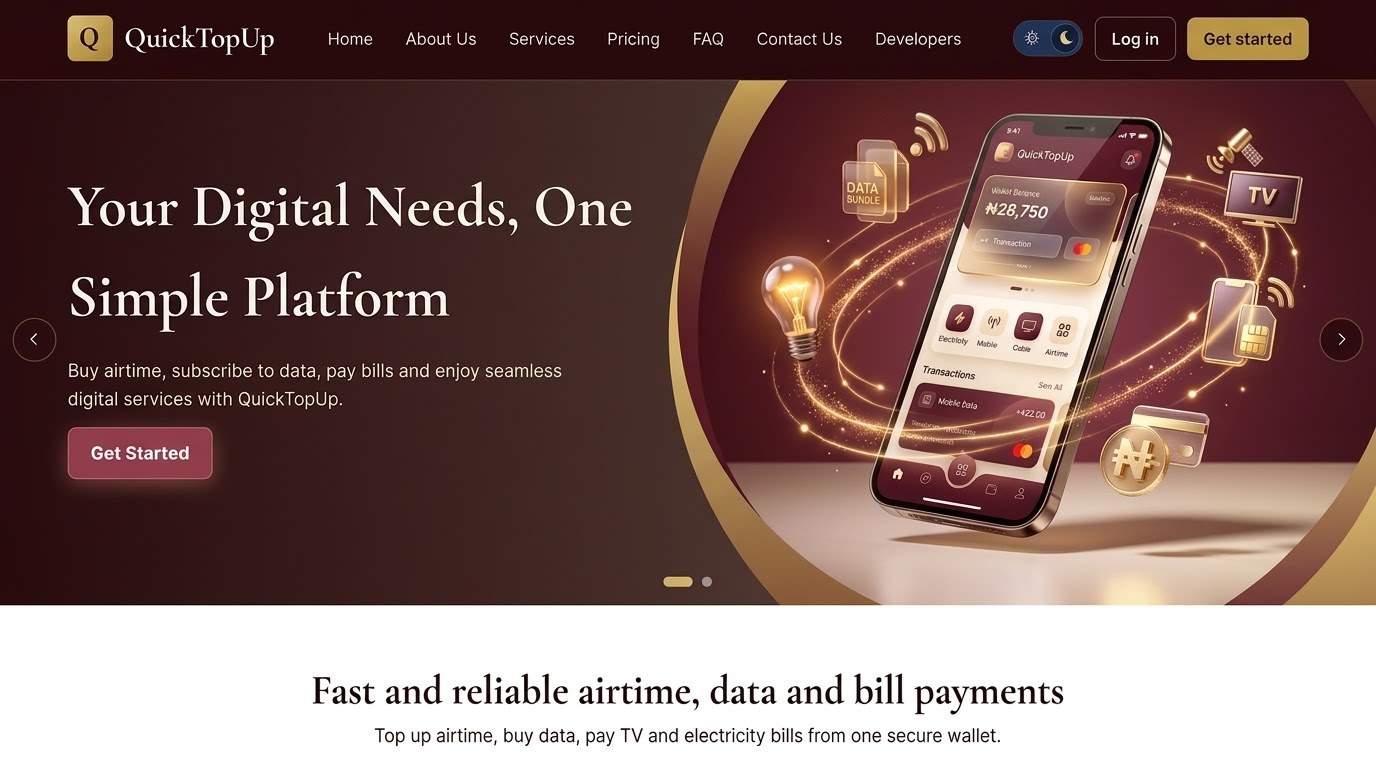
QuickTopup – A Complete VTU Website for Starting Your Own Digital Services Business
QuickTopup is a complete VTU and digital payment platform for selling airtime, data, cable TV subscriptions, electricity, exam pins and recharge cards. It features customer accounts, wallet funding, automated transactions, API integration and pricing management.
Read more →